With the 'Previous invoices from supplier' feature, you can quickly gain insight into other invoices previously received from the same supplier while processing an invoice. This helps with checks, detecting discrepancies, and validating amounts. You can easily open these previous invoices in a new tab without interrupting your current processing.
Where can you find this functionality?
The option is available on the invoice processing screen, for every invoice linked to a supplier. See the button at the top right to display the supplier’s previous invoices.
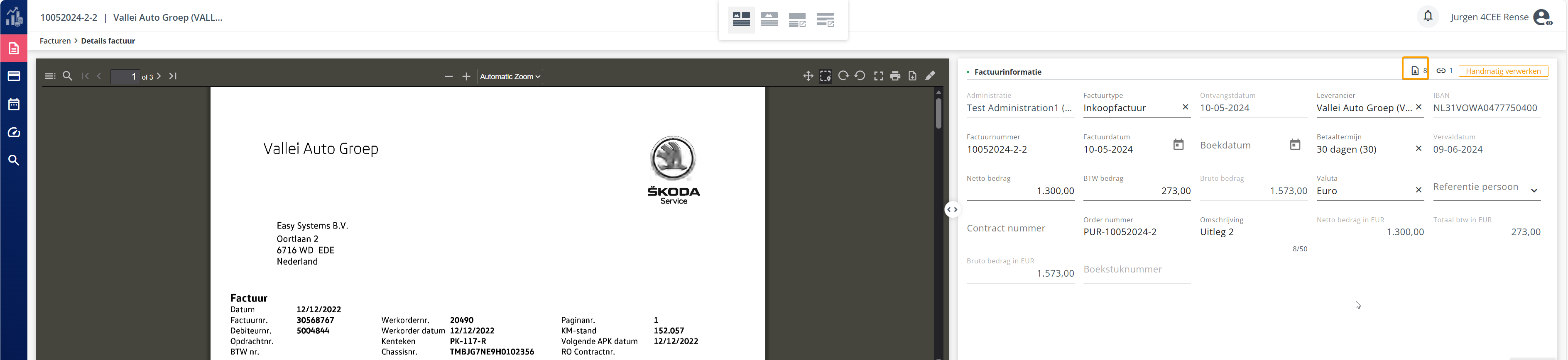
Step-by-step instructions
- Open the invoice you want to process
- Go to Invoice Overview and open the relevant invoice.
- At the top right of the header fields, you will find the icon ‘Previous invoices from supplier’
- Review the list of previous invoices
A dialog will open with an overview of previous invoices from the same supplier, including:
- Invoice number
- Description
- Invoice date
- Amount
- Status (e.g. booked, in progress, rejected)
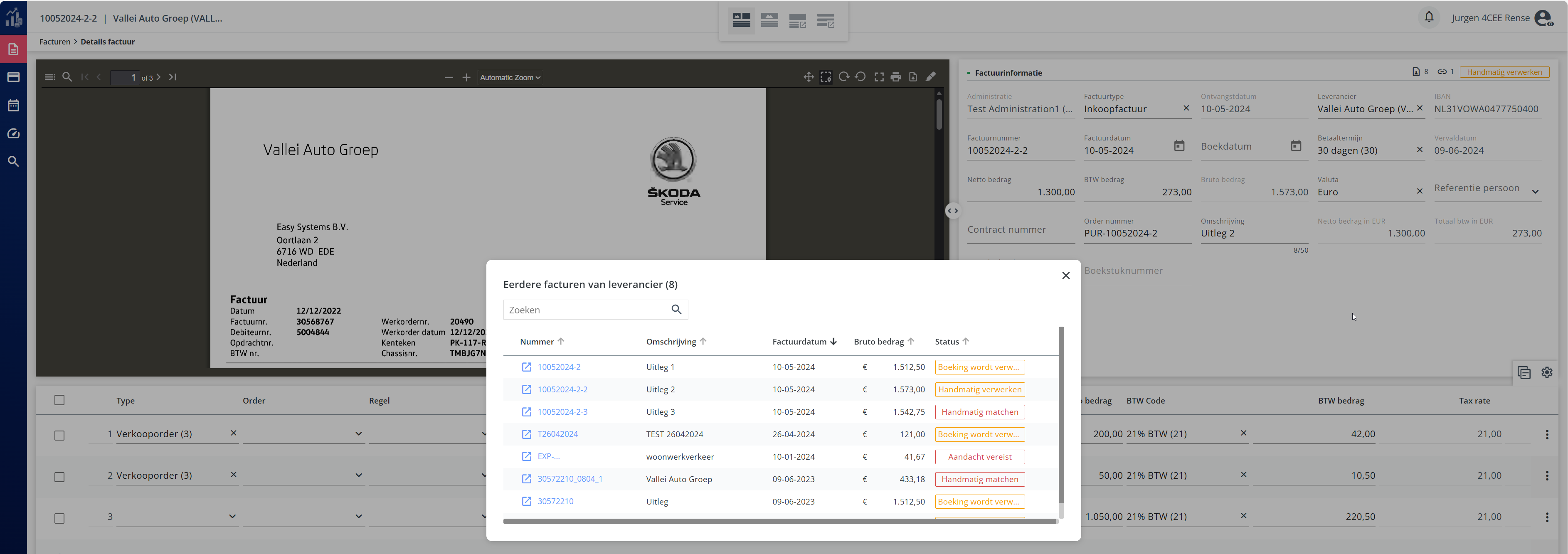 5. Open a previous invoice by clicking on one from the list.
The invoice from the list will open in a new tab, so the invoice you are currently processing remains open.
Frequently asked questions and issues
❗ I cannot see any previous invoices
- There may not yet be any invoices processed from this supplier.
- The supplier was not (correctly) recognized. Check the recognized supplier or adjust it manually.
❗ An invoice does not open in a new tab
- Check whether your browser allows pop-ups for this application.
- Some security settings in your organization may block this.
Tips & best practices
- Use this feature as an extra check for unusual amounts or new subscription fees.
- Compare invoices for recurring services to quickly detect price increases.
- Open multiple invoices at once in separate tabs to easily compare them.